Aldiko Classic Premium3.1.3
Publisher Description
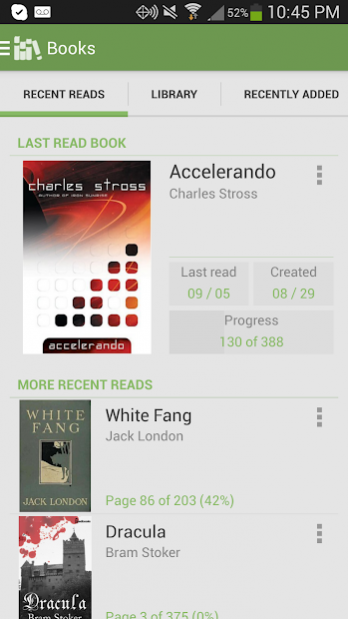
Download one of the best Android eBook Readers now!
★The leading eBook application for the Android platform
★30+ million users from over 200 countries
Features:
✔ Support EPUB, PDF formats as well as Adobe DRM encrypted eBooks.
✔ Support Text To Speech.
✔ Support eBooks from public libraries.
✔ Fully-customizable reading experience: adjust font size, font type, font and background colors, margin, alignment, line spacing as well as brightness to best suit your preference. The Aldiko Book Reader also supports night-time reading.
✔ User-friendly interface: the Aldiko Book Reader supports both Android phones and tablets. You can create your own bookmarks, notes (for EPUB files only) and highlights (for EPUB files only) anywhere in the book, rapidly jump to a different section of the book through the table of content.
✔ Advanced library management system: import your own EPUB and PDF files into the app to read them on the go; organize your eBooks by tags and collections; create a home widget of your currently reading books to make resume reading easier and faster. Aldiko will also remember your reading position automatically, bring you back to where you left off.
✔ In-app shopping experience: browse huge catalogs of eBooks, including best-sellers, new releases and classics (lots of them are FREE)
✔ Other cool features not to miss: global-text search in a book, dictionary, add your own favorite catalogs and many more
Differences between the Aldiko Book Reader Premium and the Aldiko Book Reader Free are: the Aldiko Book Reader Premium has Text to Speech, highlights (for EPUB files only), notes (for EPUB files only), book cover editing. home widget, import and export annotations features, unlimited number of audio books on personal bookshelf,, gets faster update and does not contain advertisements.
About Aldiko Classic Premium
The company that develops Aldiko Classic Premium is Feedbooks. The latest version released by its developer is 3.1.3. This app was rated by 26 users of our site and has an average rating of 4.0.
To install Aldiko Classic Premium on your Android device, just click the green Continue To App button above to start the installation process. The app is listed on our website since 2018-10-26 and was downloaded 2,448 times. We have already checked if the download link is safe, however for your own protection we recommend that you scan the downloaded app with your antivirus. Your antivirus may detect the Aldiko Classic Premium as malware as malware if the download link to com.android.aldiko is broken.
How to install Aldiko Classic Premium on your Android device:
- Click on the Continue To App button on our website. This will redirect you to Google Play.
- Once the Aldiko Classic Premium is shown in the Google Play listing of your Android device, you can start its download and installation. Tap on the Install button located below the search bar and to the right of the app icon.
- A pop-up window with the permissions required by Aldiko Classic Premium will be shown. Click on Accept to continue the process.
- Aldiko Classic Premium will be downloaded onto your device, displaying a progress. Once the download completes, the installation will start and you'll get a notification after the installation is finished.
Program Details
System requirements
Download information
Pricing
Version History
version 3.1.3
posted on 2018-10-26
Aldiko 3.1 is the final release for Aldiko Classic Premium.
New features:
- Improved audiobook support
- Internet Archive is now a default catalog: download and listen to 25,000+ audiobooks for free
- Monthly subscription is now available as an alternative to the Premium app
- Brightness now defaults to auto (device settings), this can be changed to "advanced brightness" in settings to manually adjust it
version 3.0.44
posted on 2018-01-29
-Redesigned audiobook notification.
-Enabled editing audiobook metadata such as cover, title and author.
-Added audiobook filter in bookshelf.
-Added audiobook playing control at lock screen.
-Fixed bug that audiobook cover is not shown on list view of bookshelf and book detail page.
-Used device locale to show time.
-Fixed adjusting brightness with gesture issue.
-Other miscellaneous bug fixes
version 3.0.42
posted on 2018-01-19
-Support audio books in MP3 and MP4 formats.
-Support exporting notes, highlights and bookmarks in Word, PDF, TXT and JSON formats.
-Remember previous configurations for Text-To-Speech feature.
-Miscellaneous improvements and bug fixes.
version 3.0.34
posted on 2016-12-16
-Google Drive integration: Google Drive is integrated in My Catalogs, which enables you to get your files from Google Drive to Aldiko easily.,-Dropbox integration: Dropbox is integrated in My Catalogs, which enables you to get your files from Dropbox to Aldiko easily.,-Remember user;s configuration for Text to Speech feature (premium feature).,-Miscellaneous bug fixes and improvements.
version 2.0.1
posted on 2011-03-25
Several fixes and updates
